In this article
Trace a payday from the employer’s net-pay figure through allocations and account activity so that a missing amount becomes a specific question.
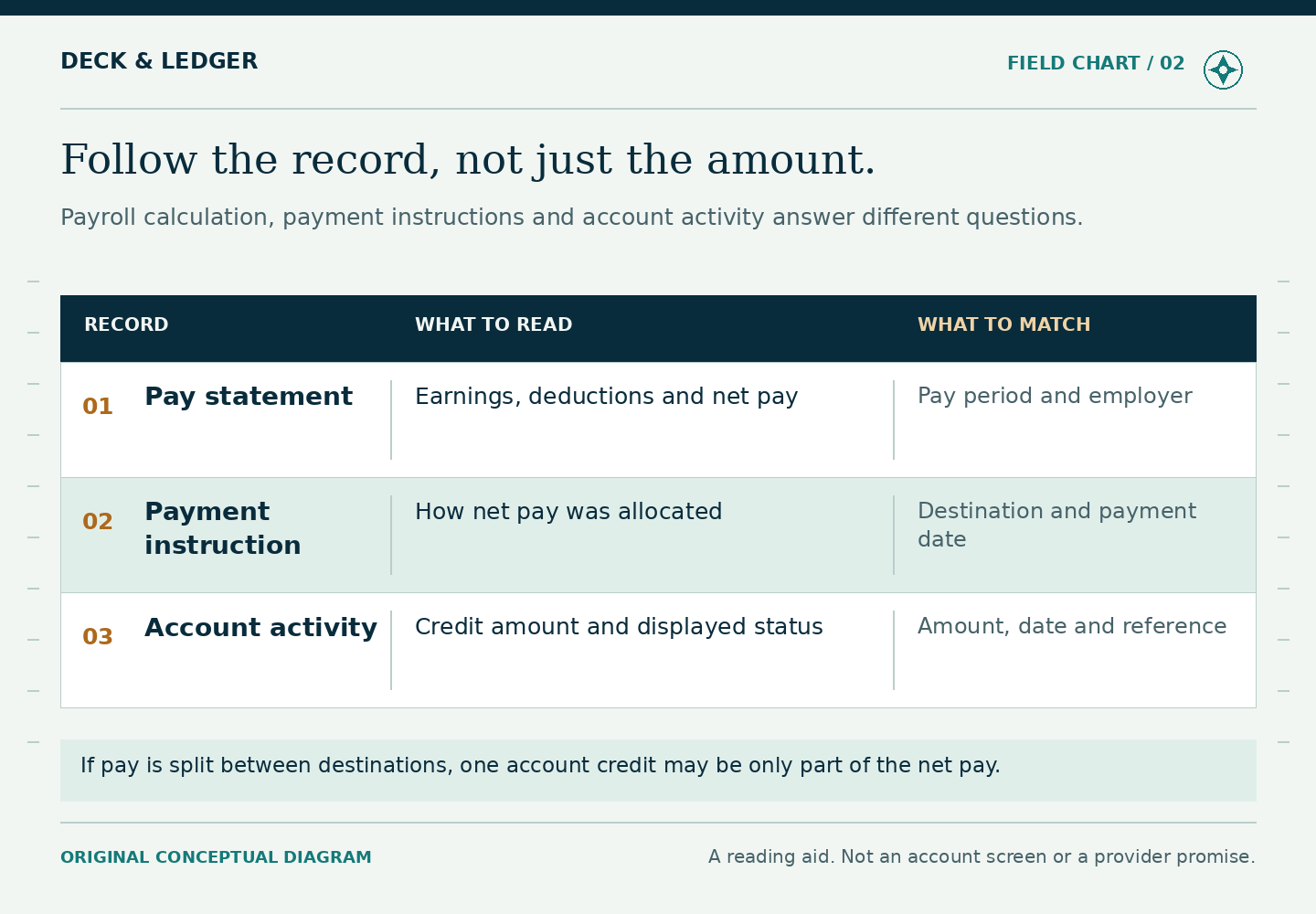
A payslip and a card balance answer different questions. The payslip explains wages for a period. The balance shows what is available or recorded in an account at a particular moment. Comparing the two numbers without the activity between them can make ordinary allocations look like missing pay, or hide a genuine error behind a vague explanation.
Choose a clean starting point
Pick the last date on which you trust the record and note the account balance and its label. Record the currency and time zone. “Balance on Friday” is less useful if payroll is dated in one country and your phone shows a different calendar day at sea. Use the displayed date without silently translating it.
Gather the payslip for the relevant wage period, the employer’s allocation instructions, and the account history covering that period. Keep receipts for transfers or withdrawals you intend to include. Work with copies you can read privately; do not send the complete packet to a group chat to ask whether someone else’s payday looks similar.
Separate net pay from the card allocation
Brightwell’s crew FAQ describes wages being allocated to bank accounts and a Brightwell card. Its maritime overview also places Navigator within the employer’s payroll process. The practical consequence is that the amount directed to a card may differ from total net pay. Confirm your own instructions rather than applying a coworker’s split.
Start with the employer’s net-pay number after its listed deductions and adjustments. Identify how much was intended for each destination. A payroll instruction and a completed payment are not the same evidence, so keep the intended amount and the observed entry in separate columns or lines. Mark anything unconfirmed as unconfirmed.
Walk through one fictional payday
Suppose Mara’s net pay is USD 1,800. Her confirmed instruction in this example allocates USD 1,080 to a bank destination and USD 720 to the card. The card had USD 90 before the payday entry. If the USD 720 credit is posted, the running total is USD 810 before subsequent card activity. Expecting USD 1,890 on the card would count the bank allocation in the wrong place.
Mara then identifies a USD 45 purchase and a USD 100 cash withdrawal in the same period. If there are no other entries in this simplified example, the arithmetic gives USD 665. Any fees, transfers, reversals or holds must be handled according to how the actual history labels them. The example does not assume those items are absent from a real account.
If the app displays USD 615 available, Mara should not immediately label USD 50 “missing wages.” She first looks for a pending transaction or other identified adjustment. If none explains it, she has a useful question: the opening balance and listed posted activity produce one result, but the displayed available amount is different. She can ask official support to explain that difference.
Use four statuses in your private worksheet
- Expected: supported by the employer’s instructions but not yet observed.
- Posted: shown as completed account activity.
- Pending or reserved: shown with a nonfinal label that needs separate treatment.
- Unexplained: a difference that remains after the known entries are reconciled.
Do not count an expected credit as spendable money. Do not subtract a pending amount twice if the displayed available balance already reflects it. If the account’s labels are unclear, ask support what those labels mean in your program before constructing a complicated spreadsheet around a mistaken definition.
Send the question to the party with the record
For a missing payroll entry, ask the employer for the payroll period, release status, amount and destination it instructed. For an entry that appears but is unexplained, ask official account support about the particular date, description and amount. If a transfer reached a bank for less than expected, use its receipt and receiving-bank record; that is a different reconciliation from the wage calculation.
A concise request might read: “My payslip covers this period. The confirmed allocation to this account was this amount. I do not see the matching credit in the activity from these dates. Please confirm the release status and reference.” Use the official channel and provide identifying details only as needed. Do not include a PIN or password.
Close the loop in the next record
When an explanation or correction arrives, link it to the original question. Record whether the difference was an allocation, timing issue, transaction, adjustment or confirmed error. A resolved ticket without an updated personal record can produce the same confusion next payday.
Keep wage calculations separate from spending decisions. Reconciliation tells you what happened; it does not decide how much to send home. Once the figures are understood, use the transfer-planning guide and leave the next payday’s expected money outside today’s available budget.